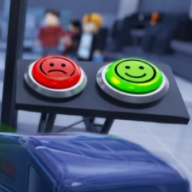
How do you scan passengers in Secure the Airport?
Aim the body scanner at front and back of each NPC in Secure the Airport. Red means continue inspection; clear headers often skip accessory deep scans.

Secure the Airport passenger screening guide — scan checklist, luggage search, and document verification for Roblox.
Learn Secure the Airport passenger screening — scan, luggage, and documents.
Secure the Airport passenger screening is the core loop of Bro Brought WHAT??'s Roblox security sim. You scan travelers, search luggage, verify passports and boarding passes, then approve safe passengers or detain threats. Every cleared traveler pays Cash in Secure the Airport Roblox.
The official Roblox page lists advanced security equipment, prohibited item searches, and document verification as central Secure the Airport mechanics. Screening accuracy directly affects how fast airport danger scales — missed items accelerate criminal and boss pressure.
This Secure the Airport screening guide covers body scans, bag searches, document tells, detain rules, and throughput tricks. Read the beginner guide first if you have never completed a full checkpoint shift.
Start every passenger in Secure the Airport with the body scanner. Red highlights usually indicate weapons or contraband on the traveler's model. Green or clear top indicators often mean you can skip deep inspection on non-essential accessories.
The fastest Secure the Airport Roblox scan method targets front and back only. Weapons in Secure the Airport typically attach to the front and rear of NPC models — circling the entire passenger wastes time without adding detection value.
Phones, watches, and necklaces are frequently non-threat items in Secure the Airport community testing. When the scanner header shows all-clear, do not spend extra seconds probing jewelry unless a patch note changes detection rules on the updates page.
If the body scan flags red, continue to luggage and documents before making a final decision. Armed travelers may resist detention — have your secondary weapon ready during Secure the Airport emergency events.
| Signal | Tag | Action in Secure the Airport |
|---|---|---|
| Red body highlight | ⚠️ Threat | Continue full check — likely weapon in Secure the Airport |
| Green / clear header | ✅ Clear | Skip deep accessory scan in Secure the Airport |
| Front/back only scan | ⚡ Fast | Optimal path — do not circle NPC in Secure the Airport |
| Armed resist | 🔫 Combat | Detain and use secondary first in Secure the Airport |
Flagged luggage in Secure the Airport opens a manual search minigame. Prohibited weapons and items are designed to be visually obvious — large silhouettes, bright outlines, and clear shapes reduce guesswork in Secure the Airport Roblox.
Do not stall on hidden micro-items when a bag already displays a major weapon. Mark the prohibited object, confiscate, and queue the next passenger to keep Cash flowing in Secure the Airport.
Order matters: community guides recommend finishing Secure the Airport luggage backlog before the day system advances. Some queued passengers despawn when the next day triggers — lost bags mean lost Cash and slower Class savings.
Upgrade luggage search speed on the upgrades guide once scanner reliability is stable. Faster bag clears prevent queue overload during high-volume Secure the Airport runs.
Document verification in Secure the Airport compares passport photos, names, and boarding pass data against the live passenger model. Mismatches are Tier-A threat types on community wikis because they appear early and pay consistent Cash when caught.
Current Secure the Airport Roblox versions often hide anomalies in hair — compare hairstyle and color against the passport thumbnail before approving. This single tell speeds up most document checks in Secure the Airport without rereading every field.
Boarding pass dates and destination codes must align with passport nationality fields. When two documents disagree in Secure the Airport, detain and search again — passport mismatch pressure stacks with luggage alerts.
Document speed upgrades live under verification tools on the upgrades page. Invest there before pushing extreme passenger counts in Secure the Airport.
Safe passengers in Secure the Airport should be approved quickly once scan, luggage, and documents pass. Delayed approvals still count toward danger scaling if the queue backs up — balance accuracy with steady throughput in Secure the Airport Roblox.
Detain armed or mismatched travelers before they reach the gate. Secure the Airport NPCs may draw weapons when challenged — use your secondary firearm first, then primary when sidearm ammo empties for fastest kill times.
Tasers and less-lethal tools appear in some Secure the Airport loadouts depending on Class. Higher Classes on the classes list add HP and better primaries for long detain fights.
When HP drops during Secure the Airport shootouts, break line of sight behind conveyor belts or checkpoint pillars. Passive regeneration kicks in while criminals hold position — use that breather to reload before re-engaging.
| Decision | When | Result |
|---|---|---|
| Approve | Clean scan + docs in Secure the Airport | Cash payout + threat tick |
| Detain | Weapon or mismatch in Secure the Airport | Combat or taser resolution |
| Hide / regen | Low HP in Secure the Airport | Recover behind cover |
| Team split | 14-player server in Secure the Airport | Parallel scan and bag roles |
Throughput in Secure the Airport is a double-edged sword. More passengers mean more Cash but also higher danger. Upgrade scanner reliability and luggage tools before chasing speed records in Secure the Airport Roblox.
Batch mental workflow: scan body → if flagged, open bag → while bag animates, start document compare → approve or detain. This parallel rhythm is how veteran Secure the Airport players hit Officer Elite savings before the first major boss.
Phones and jewelry false positives slow beginners who treat every accessory as a weapon. Trust clear scanner headers unless patch notes on the updates hub say otherwise.
After screening fundamentals, spend Cash on Classes before cosmetic gear. Officer Elite's M4A1 transforms emergency events — see the class tier list for priority order.
When bosses approach in Secure the Airport, pause passenger spam and verify your loadout. Boss breach events overlap with queue pressure — read the bosses guide for Fire Starter and Most Wanted Passenger prep.
Aim the body scanner at front and back of each NPC in Secure the Airport. Red means continue inspection; clear headers often skip accessory deep scans.
Missed prohibited items raise airport danger in Secure the Airport Roblox, spawning harder criminals and boss pressure faster.
Search every scanner-flagged bag in Secure the Airport. Clear bags without alerts can pass once body and documents are verified.
July 2026 community testing points to hair mismatches on passport photos in Secure the Airport — compare hairstyle before approving.
Yes. Secure the Airport supports mobile and tablet — see controls and mobile for HUD layout.
Scanner reliability and luggage search speed on the upgrades page — before raw passenger throughput boosts.
Matched by build plan, shared topics, and guide progression — not random related links.